Explore the interactive map of habitats and measures for your area
The Local Habitat Map shows where many LNRS measures (practical actions to create, manage or restore habitats) could be taken to deliver the greatest benefit for wildlife and the wider environment. They give a sense of how and where nature could be recovered to create more of our important habitats, or to make existing habitats bigger, better and more joined-up with each other.
If you are considering creating or improving habitats for nature, use the maps to check if there are any LNRS measures on or near land you own, manage or advise on, to give you an idea of what actions and habitats would be most suitable.
Note – not all LNRS measures are mapped, so check our measure search tool to see the full range of actions that might be suitable.
Before you start: We recommend accessing the maps from a desktop or laptop rather than a mobile as they are easier to navigate and have some additional functionality. Scroll down this page for gudiance on how to use the map.
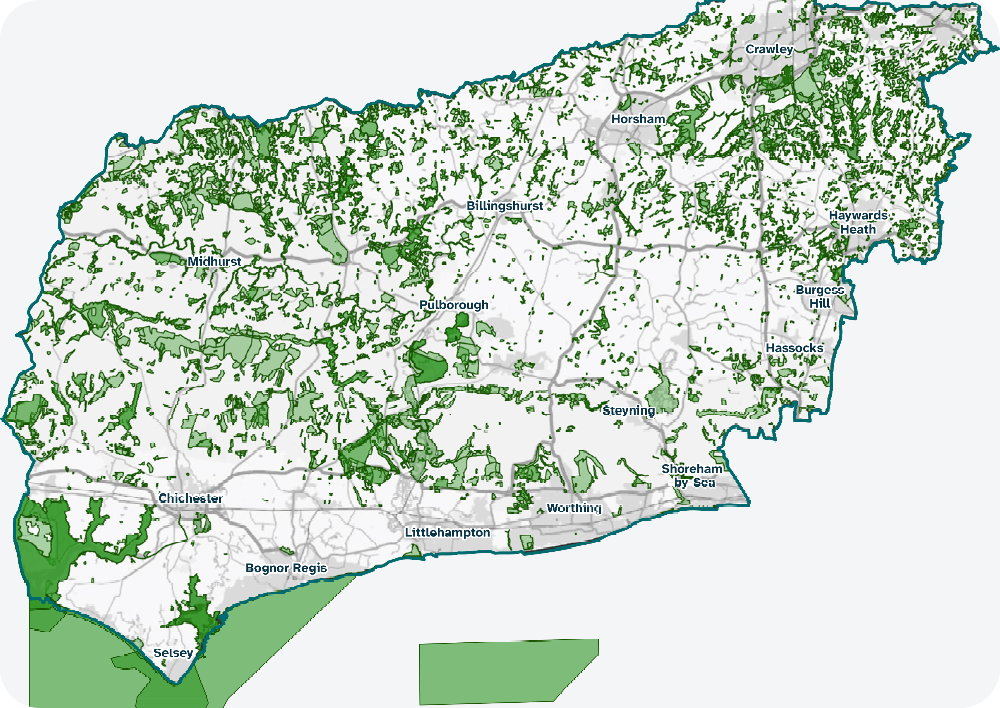
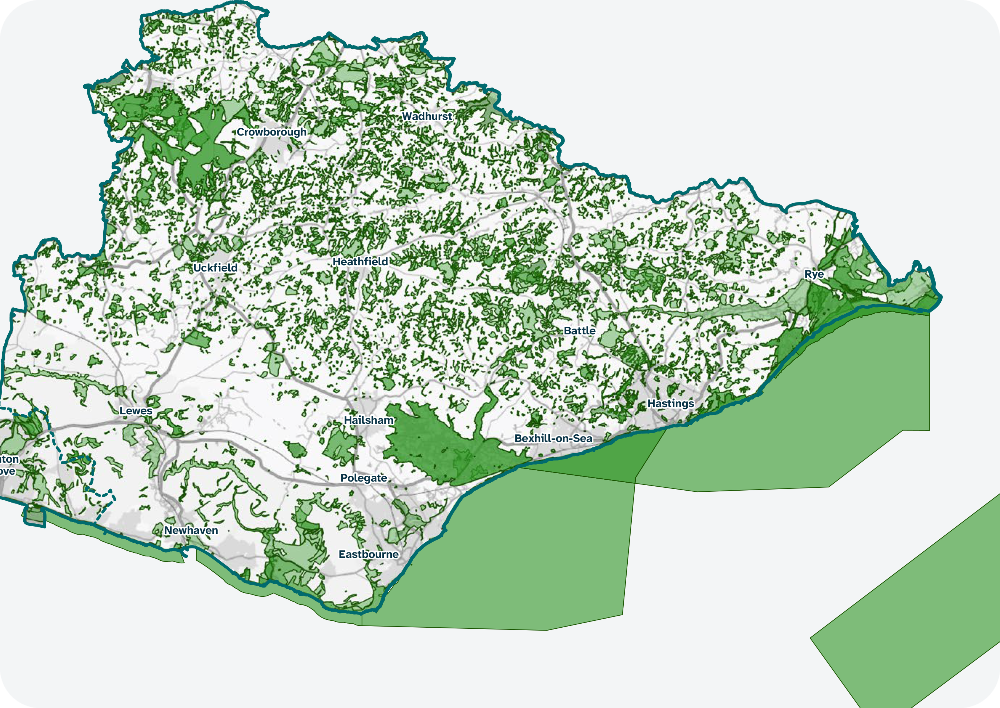
Getting familiar with the Local Habitat Map
Map layers
In addition to the LNRS Boundary, there are various layers to the map. All can be toggled off and on.
- Areas of Particular Importance for Biodiversity (APIB) – this is where protected and important sites for nature are located such as designated sites and irreplaceable habitats. This is switched on when you open the map.
- Ancient and veteran trees (APIB) – this is part of the above map, but as individual trees on the map appear larger than scale, they have their own map layer. This is also switched on.
- 8 measures layers for different habitats e.g. Coastal, Species-rich grassland, Woodland, Rivers, Wetlands etc). These are switched off.
- Areas that Could become of Importance for Biodiversity (ACIB) – this is a single layer with all habitat measures merged together, excluding the area covered by the APIB. This is called the ACIB and it is switched on.
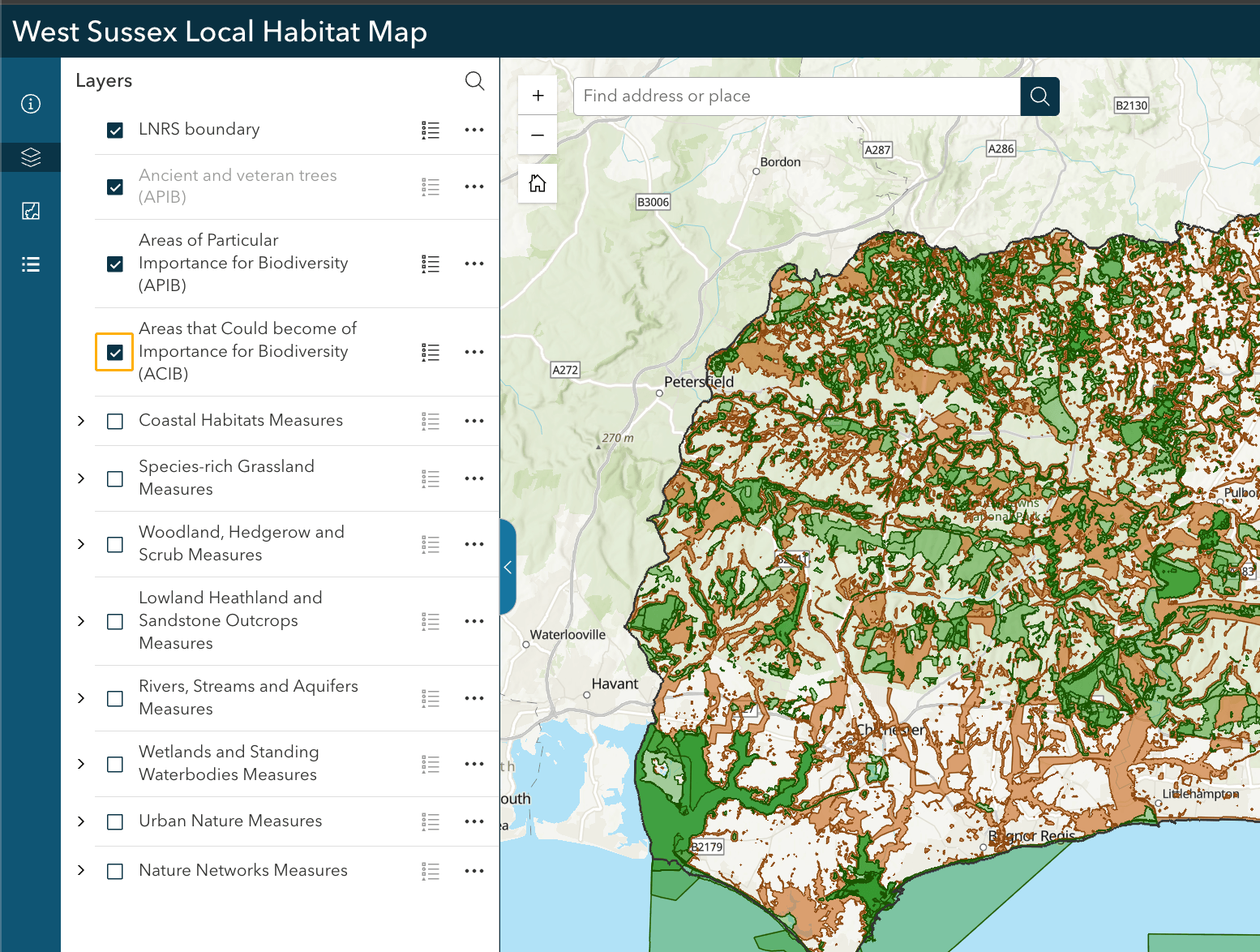
Using the 8 measures layers
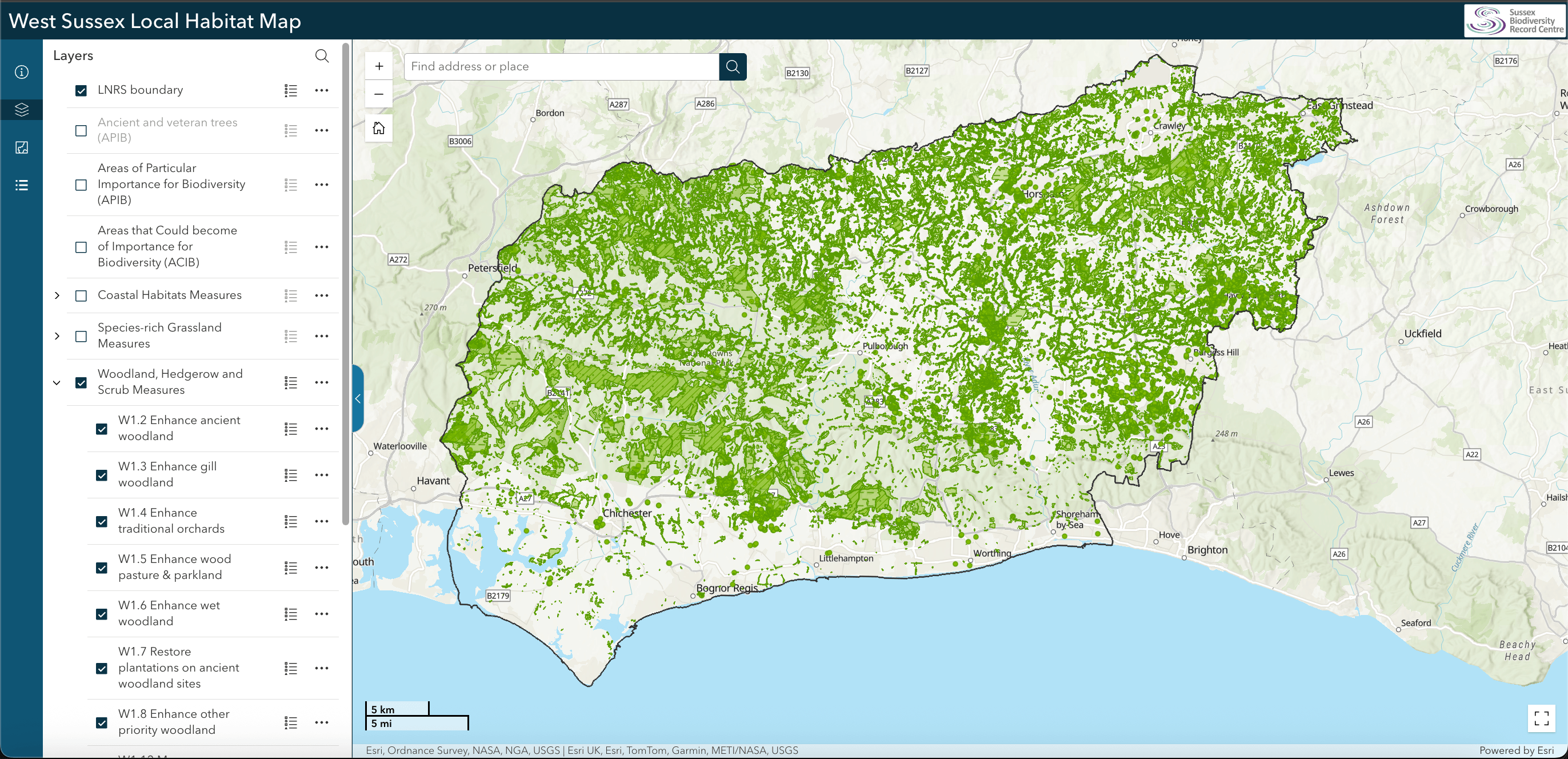
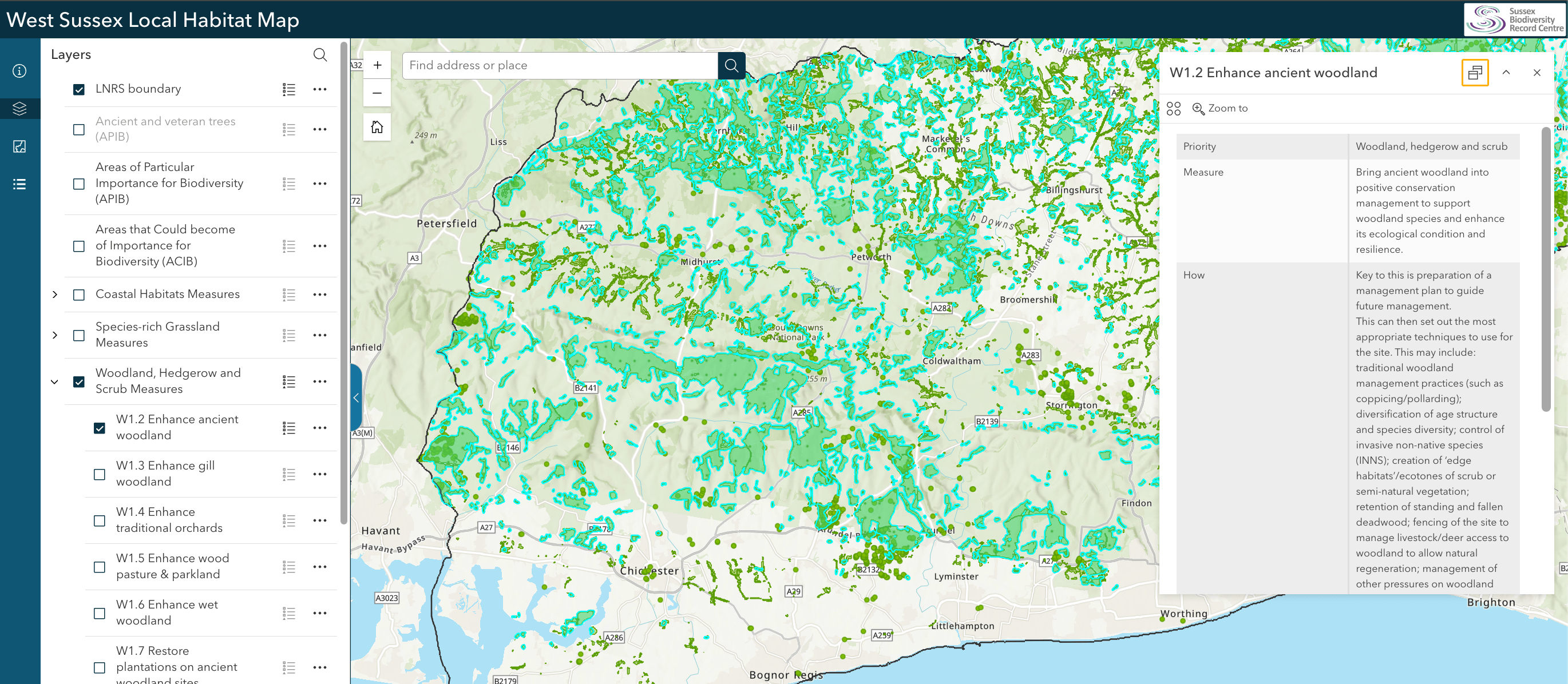
The best way to see the indivdual map layers is to toggle off the APIB and ACIB, then select the habitat measure you are interested in. In the example below, the Woodland, Hedgerow and Scrub Measures layer has been selected.
Clicking on the arrow to the left of the habitat type shows a dropdown list of individual measures (in the image below W1.2 to W1.8 are visible). The coloured areas of the map show the locations where implementing these measures can have the greatest benefit for nature.
Find out more about a measure
Click on a measure on the map (the coloured area) to bring up a box of further information, which has:
- The Measure Code (e.g. W1.2 Enhance ancient woodland)
- Some guidance about how to implement it
- Associated Species Assemblages (which group of species are related to the measure (e.g. Woodland bats assemblage)
Note: If more than one measure is selected, the information box will contain multiple entries. Click the bullets icon (‘select feature’) in the top right corner to show individual measures and then select one to bring up the detailed information about it. Alternatively, use the left and right arrows (top left) to navigate through different measures.
Find a location
Type a postcode, address or grid reference into the bar at the top of the screen. You can also manually scroll across the map to find a place of interest.

Zooming in or out
Right click on the mouse and scroll up (to zoom in) or down (to zoom out). If on touch phone or screen, use the "pinch" gesture:spread two fingers apart to zoom in, and bring them together to zoom out. Clicking on a measure on the map also gives you the option to zoom in on the point you clicked on.
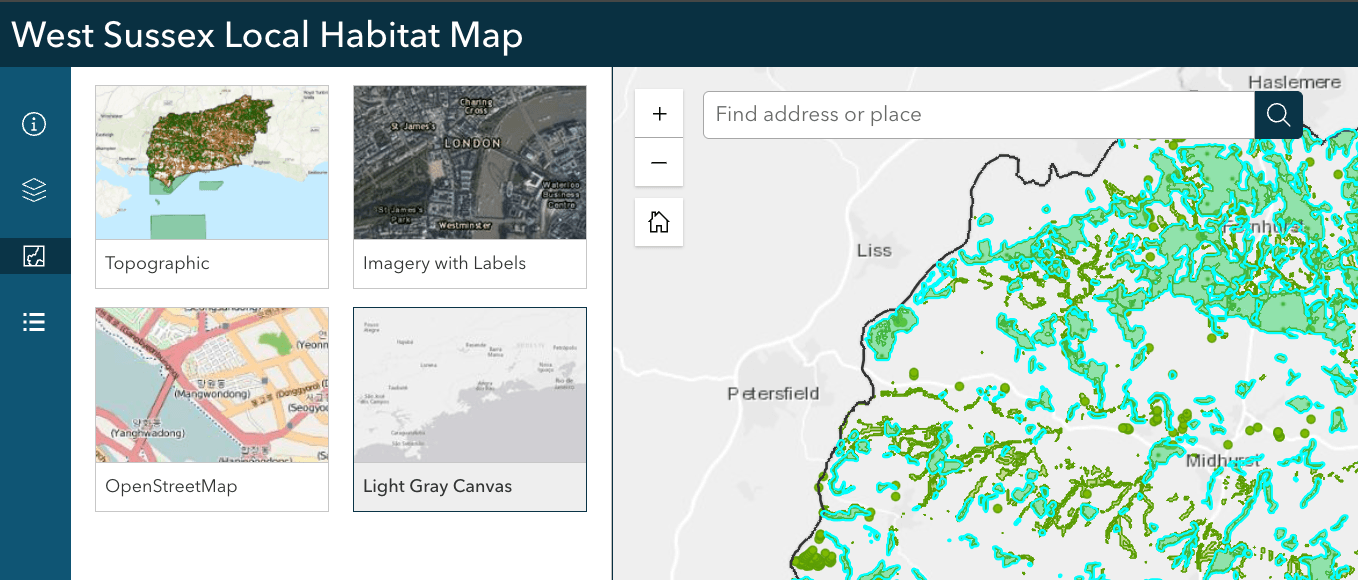
Changing the background map
The third icon in the left hand menu allows you to change the background map. There are four options to choose from. The default setting is topographic, but you can also select light grey, street map, and arial imagery.
If you don’t find any measures on or near your land?
About 60% of LNRS measures could not be mapped due to the availability or quality of existing data (we can't say with accruacy where the best locations are), or because the measure is beneficial over a wide area rather than specific locations (e.g. creating species-rich strips, planting new field trees, providing nesting boxes etc. could feasibly be implemented on any arable land).
An unmapped measure is just as useful or important to nature’s recovery as those that have been mapped. For the full list of measures, search our measure tool or check Part 2 of your LNRS.
Lorem ipsum dolores
